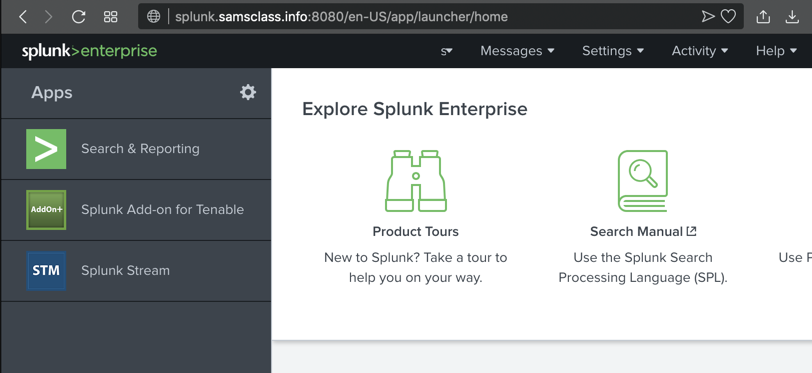
Log in as student1 with a password of student1
The Splunk main page opens, as shown below.
At the top left, click "Search & Reporting".
The "Search" page opens, as shown below.
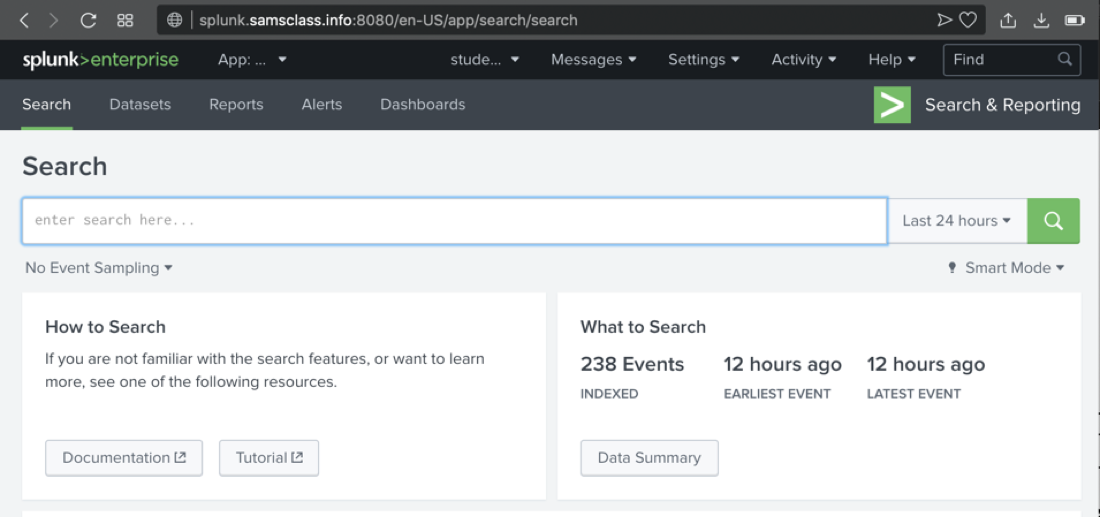
index="botsv1"
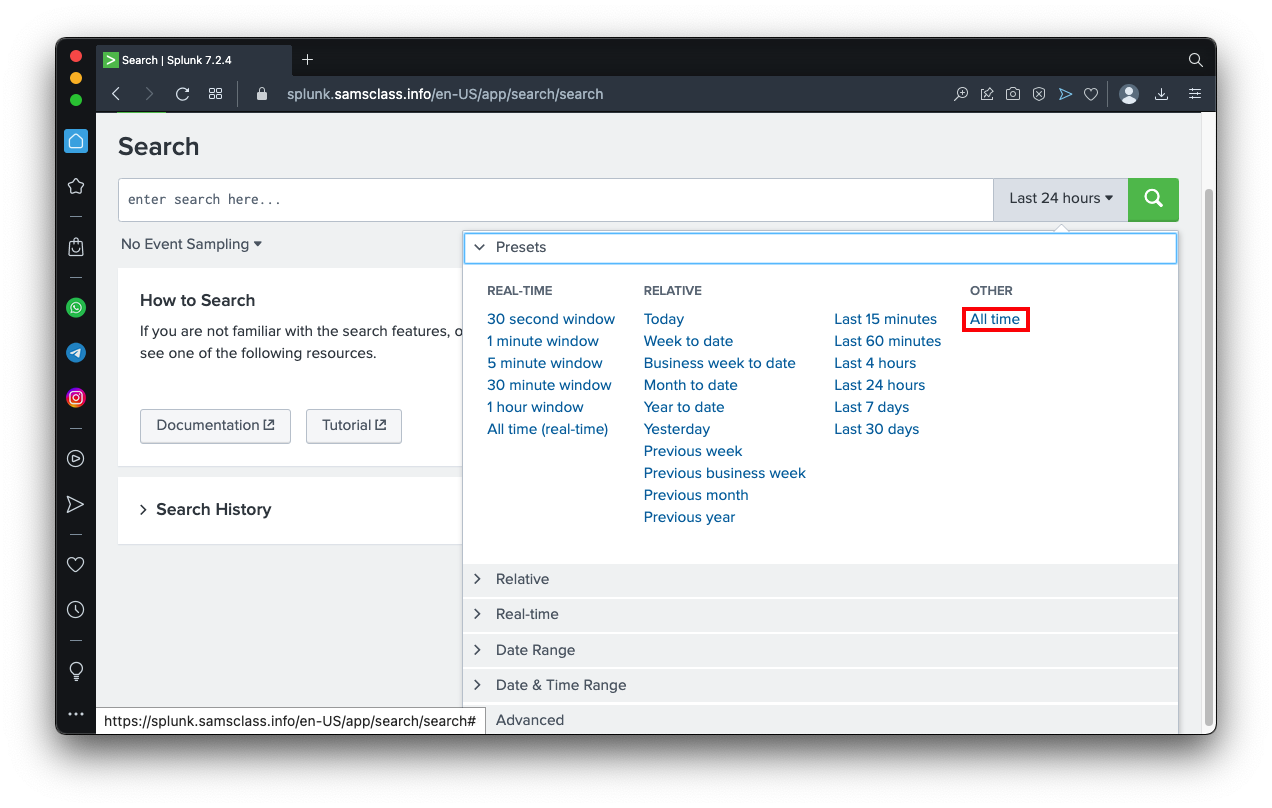
On the right side, click the "Last 24 hours" box and click "All time",
outlined in red in the image below.
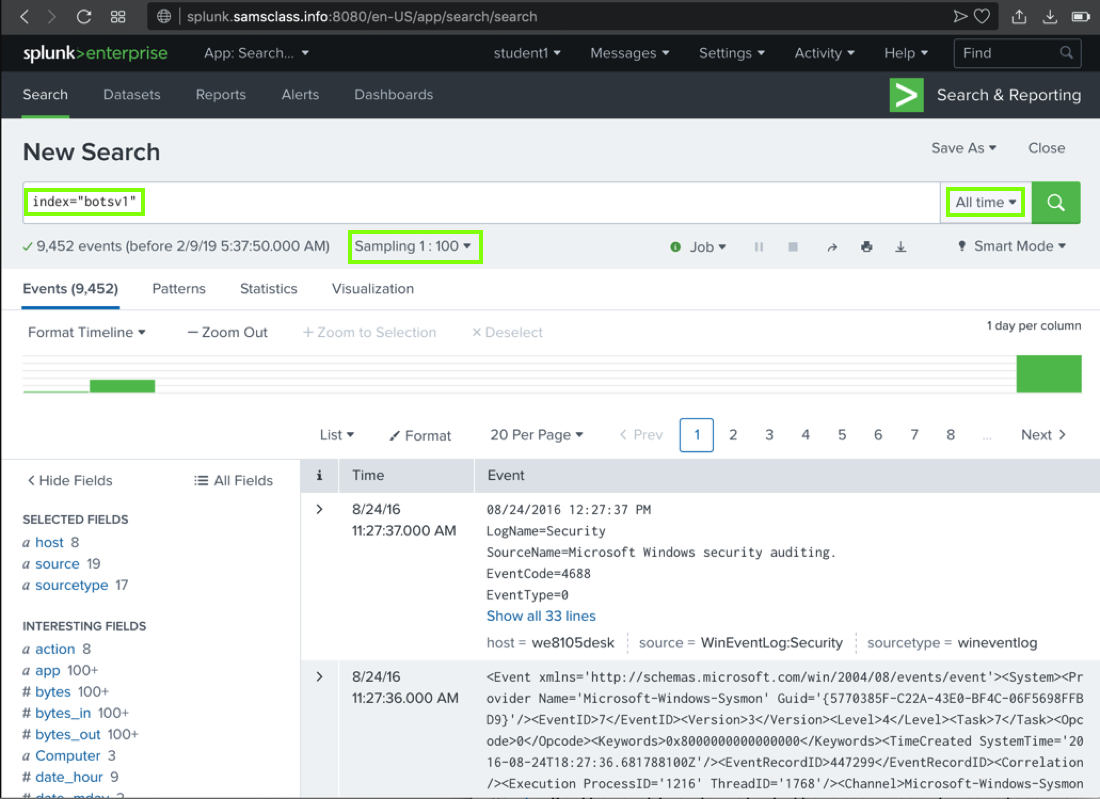
On the right side, click the green magnifying-glass icon
The search finishes within a few seconds, and finds approximately 9,452 results, as shown below. (The number varies because the sampling is random.)
There are actually 100x as many events, but we are only looking at 1% of them for now.
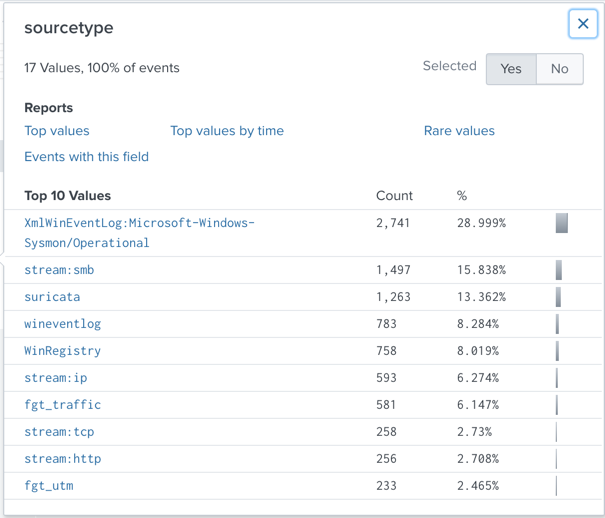
A "sourcetype" box pops up, showing the "Top 10 Values" of this field, as shown below.
Notice these items:
Note: because the sampling is random, you may see different items near the bottom of this list.
sourcetype
Sensor
XmlWinEventLog:Microsoft-Windows-Sysmon/Operational "Sysmon", a Windows monitoring tool from Microsoft stream:smb,stream:ip,stream:tcp,stream:http "Splunk Stream", which monitors live network traffic suricata The Suricata Intrusion Detection System (IDS) wineventlog and WinRegistry Windows OS fgt_traffic and fgt_utm Fortigate firewalls
Splunk adds
sourcetype="stream:http"
to
the search and finds approximately 252 results,
as shown below.
If there is no stream:http item in the list, just type it into the query.
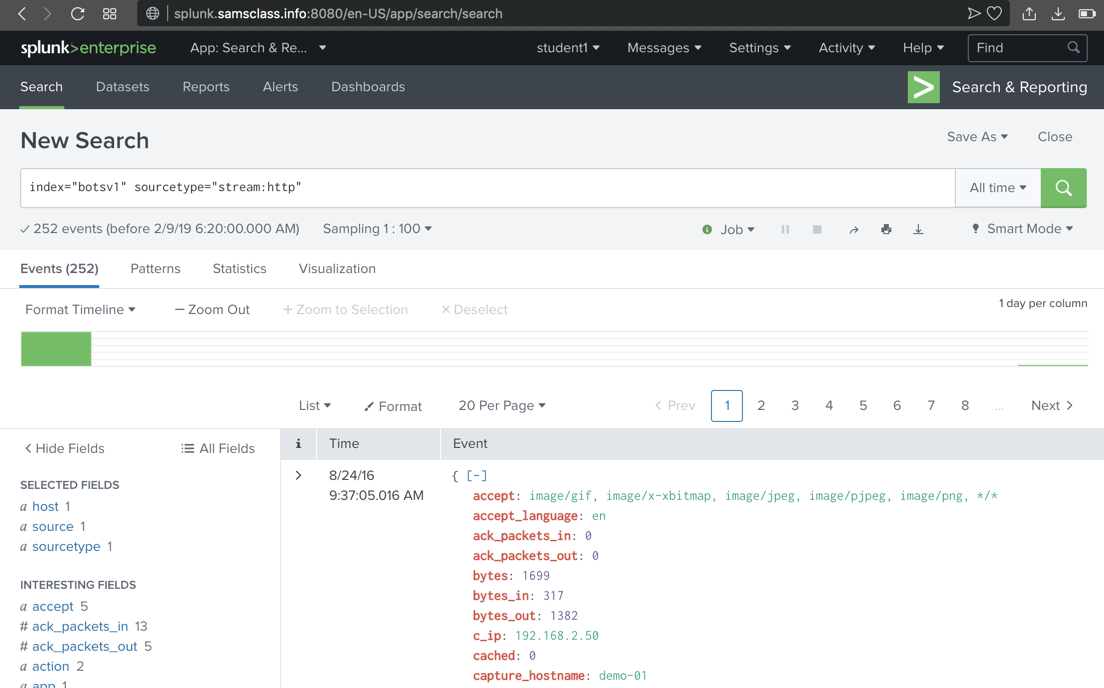
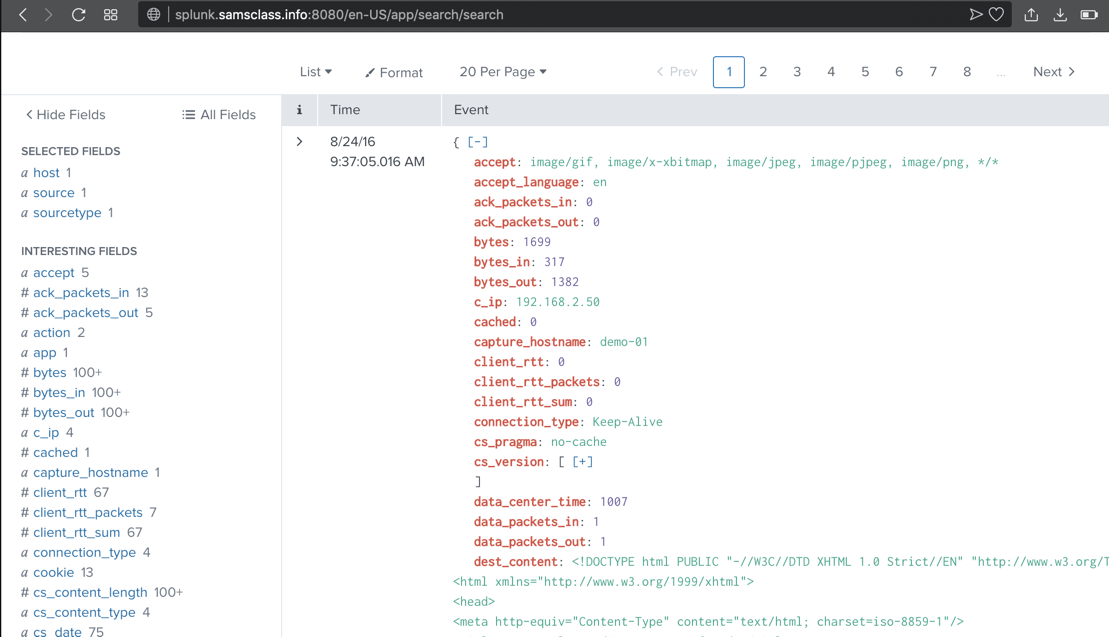
Scroll down to examine the most recent event. Splunk has parsed this event into many fields, shown in red, including c_ip, the client IP address, as shown below.
These fields are explained here.
imreallynotbatman.com
251 events are found,
as shown below. (The sampling is
random, so you may not see the exact
events shown below.)
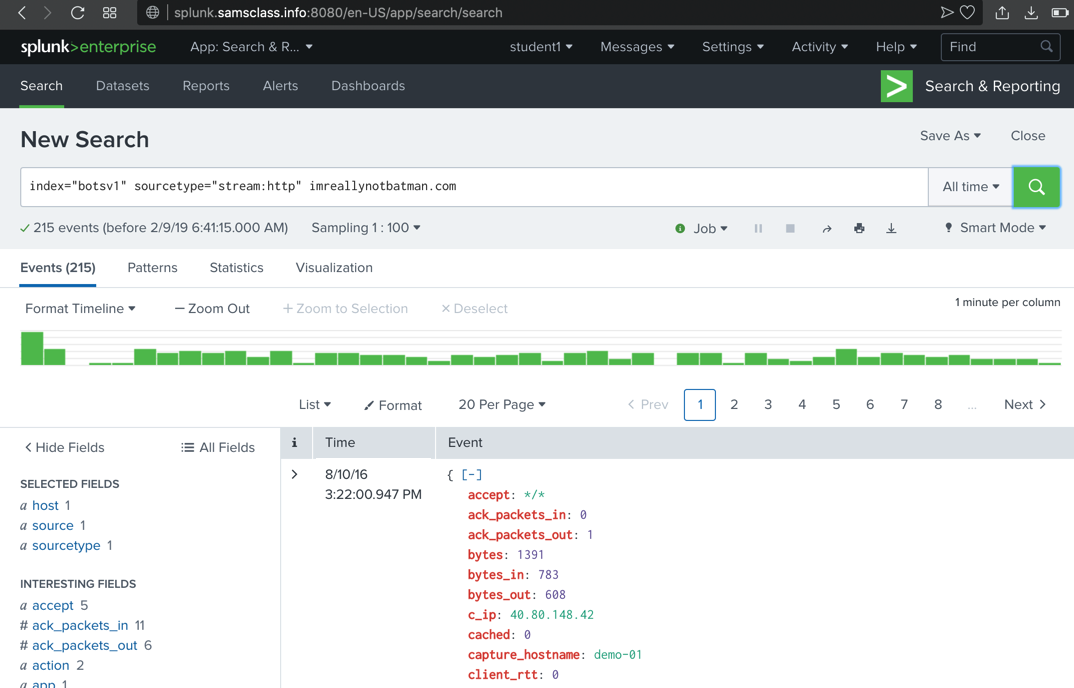
Scroll through the first few events found, and note these items, highlighted in the image below.
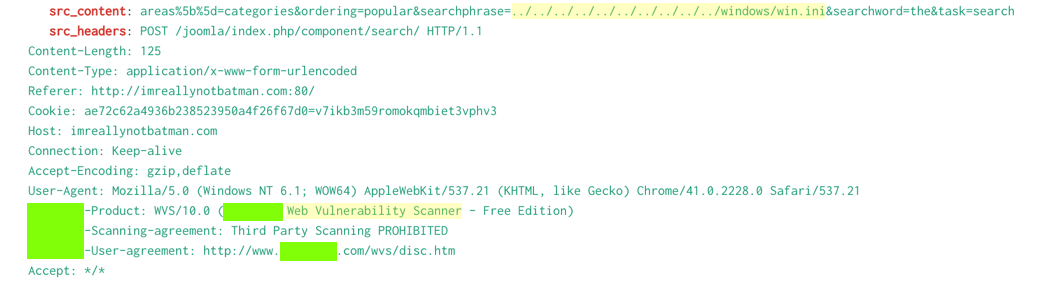
Take NotesTip: take notes of the flags you find as you go.Several flags require you to use information from a previous challenge. |
Level 1: Finding Attack Servers (20 pts + 15 extra)BOTSv1 1.1: Scanner Name (5 pts)Find the brand name of the vulnerability scanner, covered by a green box in the image above.BOTSv1 1.2: Attacker IP (5 pts)Find the attacker's IP address.BOTSv1 1.3: Web Server IP (5 pts)Find the IP address of the web server serving "imreallynotbatman.com".BOTSv1 1.4: Defacement Filename (10 pts)Find the name of the file used to deface the web server serving "imreallynotbatman.com".Hints:
BOTSv1 1.5: Domain Name (10 pts)Find the fully qualified domain name (FQDN) used by the staging server hosting the defacement file.Hints:
|
Level 2: Identifying Threat Actors (20 pts + 30 extra)BOTSv1 2.1: Staging Server IP (10 pts)In Level 1, you found the staging server domain name (used to host the defacement file). Find that server's IP adddress.Hints:
BOTSv1 2.2: Leetspeak Domain (10 pts)Use a search engine (outside Splunk) to find other domains on the staging server. Search for that IP address. Find a domain with an name in Leetspeak (like "1337sp33k.com").Alienvault is useful. BOTSv1 2.3: Brute Force Attack (15 pts)Find the IP address performing a brute force attack against "imreallynotbatman.com".Hints:
BOTSv1 2.4: Uploaded Executable File Name (15 pts)Find the name of the executable file the attacker uploaded to the server.Hints:
|
Level 3: Using Sysmon and Stream (20 pts + 30 extra)BOTSv1 3.1: MD5 (10 pts)In Level 2, you found the name of an executable file the attackers uploaded to the server.Find that file's MD5 hash. Hints:
BOTSv1 3.2: Brute Force (10 pts)What was the first brute force password used?Hints:
BOTSv1 3.3: Correct Password (10 pts)What was the correct password found in the brute force attack?Hints:
BOTSv1 3.4: Time Interval (10 pts)How many seconds elapsed between the time the brute force password scan identified the correct password and the compromised login? Round to 2 decimal places.Hints:
BOTSv1 3.5: Number of Passwords (10 pts)How many unique passwords were attempted in the brute force attack?Hints:
|
Level 4: Analyzing a Ransomware Attack (20 pts + 160 extra)BOTSv1 4.1: IP Address (5 pts)What was the most likely IP address of we8105desk on 24AUG2016?Hints:
BOTSv1 4.2: Signature ID (5 pts)Amongst the Suricata signatures that detected the Cerber malware, which one alerted the fewest number of times? Submit ONLY the signature ID value as the answer. (No punctuation, just 7 integers.)Hints:
BOTSv1 4.3: FQDN (15 pts)What fully qualified domain name (FQDN) does the Cerber ransomware attempt to direct the user to at the end of its encryption phase?Hints: New process: Aug 2, 2021:
BOTSv1 4.4: Suspicious Domain (15 pts)What was the first suspicious domain visited by we8105desk on 24AUG2016?Hints:
BOTSv1 4.5: VB Script (15 pts)During the initial Cerber infection a VB script is run. The entire script from this execution, pre-pended by the name of the launching .exe, can be found in a field in Splunk. What is name of the first function defined in the VB script?Hints:
BOTSv1 4.6: Field Length (15 pts)During the initial Cerber infection a VB script is run. The entire script from this execution, pre-pended by the name of the launching .exe, can be found in a field in Splunk. What is the length in characters of the value of this field?Hint:
BOTSv1 4.7: USB key (15 pts)What is the name of the USB key inserted by Bob Smith?Hints:
BOTSv1 4.8: Server Name (5 pts)Bob Smith's workstation (we8105desk) was connected to a file server during the ransomware outbreak. What is the domain name of the file server?Hints:
BOTSv1 4.9: IP Address (15 pts)Bob Smith's workstation (we8105desk) was connected to a file server during the ransomware outbreak. What is the IP address of the file server?Hints:
BOTSv1 4.10: PDFs (20 pts)How many distinct PDFs did the ransomware encrypt on the remote file server?Hints:
BOTSv1 4.11: Process ID (15 pts)The VBscript found above launches 121214.tmp. What is the ParentProcessId of this initial launch?Hints:
BOTSv1 4.12: Text Files (15 pts)The Cerber ransomware encrypts files located in Bob Smith's Windows profile. How many .txt files does it encrypt?Hints:
BOTSv1 4.13: File Name (15 pts)The malware downloads a file that contains the Cerber ransomware cryptor code. What is the name of that file?Hints:
BOTSv1 4.14: Obfuscation (10 pts)Now that you know the name of the ransomware's encryptor file, what obfuscation technique does it likely use?Hints:
|
BoTS2Boss of the SOC 2 (650 pts) |
AI AgentsML 190: Personal AI Infrastructure (PAI) (20 pts)ML 200: Claude Code Agent on Ubuntu (20 pts) |
Zeek | |
| IR 350: Zeek Interactive Tutorial | 15 + 44 extra |
| IR 351: Installing and Using Zeek | 25 extra |
Windows and Linux Machines | |
| IR 100: Windows and Linux Machines | 20 |
Velociraptor | |
| IR 371: Velociraptor Server on Linux | 20 + 5 extra |
| IR 372: Investigating a PUP with Velociraptor | 25 + 15 extra |
| IR 373: Investigating a Bot with Velociraptor | 50 extra |
| IR 374: Investigating a Two-Stage RAT with Velociraptor | 35 extra |
| IR 370: Installing Velociraptor on Windows | 30 extra |
FortiGate Operator | |
| IR 410: FortiGate 7.6 Operator | 45 pts + 165 extra |
ATT&CK and OWASPExtra Credit Quizzes Cover These Topics: | |
| ATT&CK Enterprise Matrix v19 | |
| OWASP Top Ten Web Application Security Risks (2025) | |
| OWASP Mobile Top Ten (2024) | |
| OWASP API Top Ten (2023) | |
| OWASP Top 10 for LLM Applications (2025) | |
| Top 10 Agentic AI Security Risks (2025) | |
Vulnerability Scanning | |
| IR 312: Vulnerability Scanning with Nuclei | 45 extra |
Networking | |
| H 410: Nmap and Rustscan | 40 extra |
| H 420: Wireshark | 110 extra |
| H 430: Scapy | 20 extra |
Basics | |
| H 101-107: Binary Games | 20 + 30 extra |
| LJ: Linux Journey | 83 extra |
| W 101: Linux command line | 20 + 15 extra |
Advanced (Optional) | |
| B: Bandit Challenges | 99 extra |
| U-Cen and U-Cyb: PowerShell | 75 extra |
Command Injection | |
| ED 102: Command Injection | 20 + 40 extra |
| ED 103: SQLI Challenges | 30 + 155 extra |
| ED 104: CMD Injection | 15 + 25 extra |
Advanced Command Injection | |
| ED 105: Server Side Template Injection (SSTI) | 35 extra |
Docker and Kubernetes | |
| H 150: Introduction to Docker | 20 extra |
| H 151: Making a Custom Docker Container | 10 extra |
| H 140: Hello Kubernetes | 20 extra |
| H 141: Setup minikube and kubectl | 15 extra |
| H 142: Managing Pods | 15 extra |
| H 143: Exploring Pods | 10 extra |
Passwords & Cryptography | |
| H 520: Hashcat | 20 + 40 extra |
| H 530: Blockchains | 15 extra |
| H 540: RDP and Old Passwords | 30 extra |
| H 510: Reset Windows Password with an Install Disk | 15 extra |
Python Basics | |
| VP 1: Python Basics at TryHackMe | 42 |
| VP 10: Python 3 Setup | 10 |
| VP 20: Arithmetic in Python | 10 + 45 extra |
| VP 21: ASCII and Bytes in Python | 10 + 25 extra |
| VP 22: Lists and Dictionaries | 15 + 10 extra |
| VP 100: Strings | 50 extra |
| VP 110: Bytes and Files | 25 extra |
Networking with Python | |
| VP 200: Port Scanning | 10 + 25 extra |
| VP 210: HTTP | 70 extra |
Cryptography with Python | |
| VP 300: Password Hashes | 25 + 60 extra |
| VP 301: Caesar Cipher | 52 extra |
Story ProblemsVP 50: Number Pair (30 extra)VP 51: Sequential Numbers (30 extra) VP 52: Checksum (30 extra) VP 53: Parsing (30 extra) VP 54: Paper (30 extra) VP 55: Fuel (30 extra) |
Scores from SJSU Cloudathon Summer 26
Scores from WASTC FDW June 5, 2026
Updated 6-6-26 12:55 pm