M 115: Hardcoded Secrets (15 pts)
What You Need for This Project
- A rooted Android emulator
Summary
The Tarot Card Psychic Reading Android app stores AWS secrets
on the phone.
Installing the Tarot Card Psychic Reading Android App
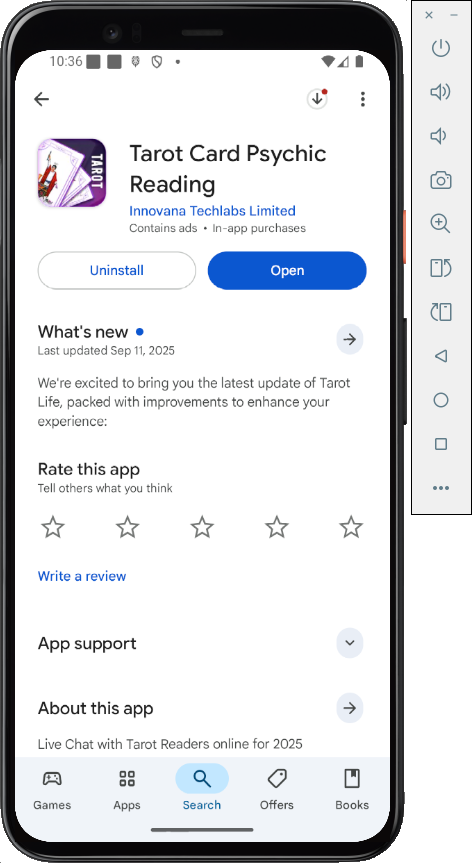
Open Google Play and search for Tarot Card Psychic Reading.
Install the app,
as shown below.
Here's the app I tested:
Archived App
In case they ever fix the app, here's the old version from 9-22-25.
Download these files:
Then execute this command to install the app.
adb install-multiple -r ./base.apk ./split_config.xxhdpi.apk ./split_config.arm64_v8a.apk
|
Scanning the Phone's Storage
Open a Terminal and navigate to the folder where
adb is.
Then
execute these commands:
adb shell
su
cd /data/data
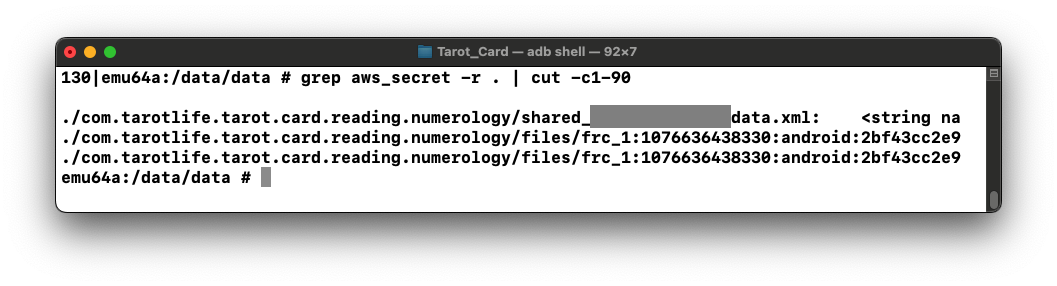
grep aws_secret -r . | cut -c1-90
This shows a path to an XML file containing the
string "aws_secret",
as shown below.
Use the "cat" or "more" command to display the contents
of that file, and find the secret,
as shown below.
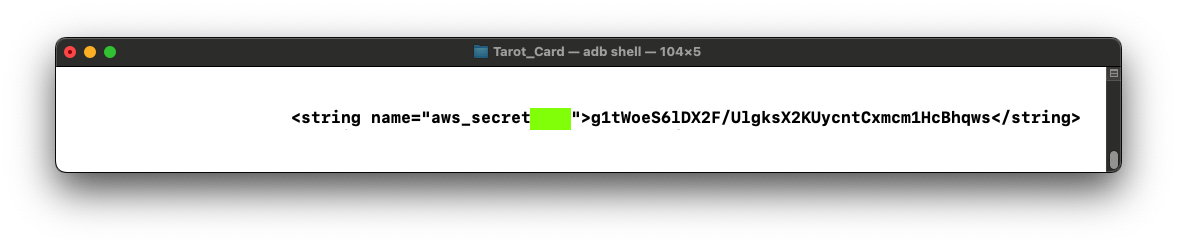
M 115.1: String Name (15 pts)
Find the text covered by a green box
in the image above. That's the flag.
|
Responsible Disclosure
I notified the company on 9-24-25.
Posted privately 9-24-25 by Sam Bowne
Formatting fixed for command line section 9-30-25