PMA 41: Windows 11 with Analysis Tools
If you are using another Windows machine, and don't already have WinDbg, get it from the Microsoft Store.
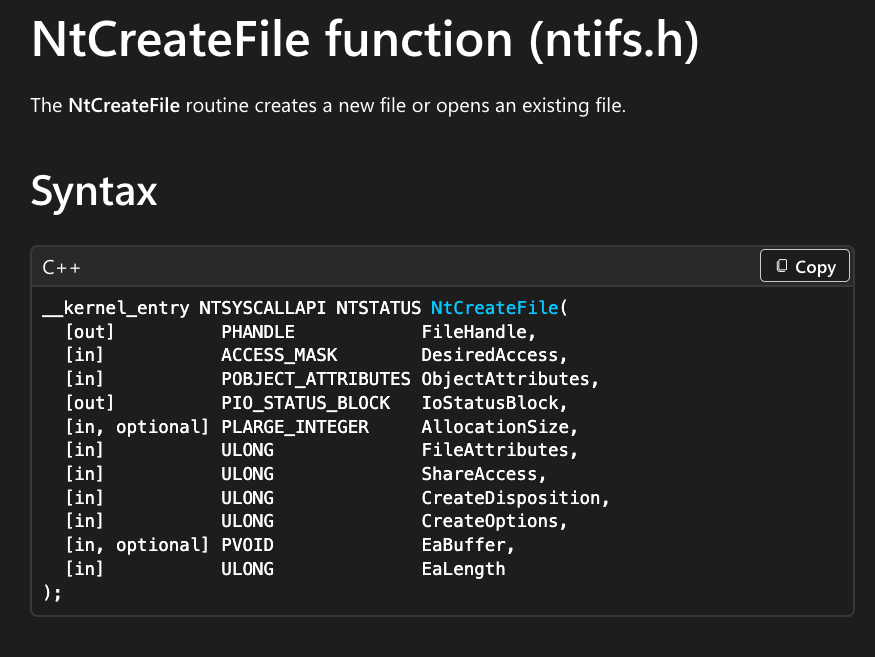
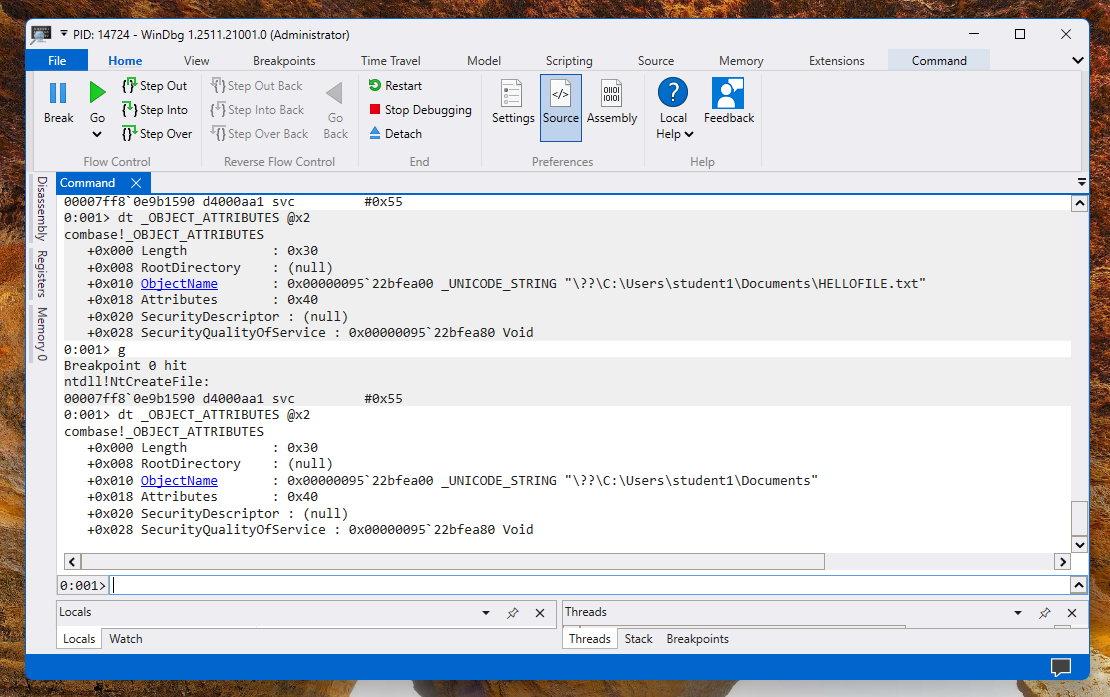
As shown below, it creates a file, using several parameters, including one named ObjectAttributes.
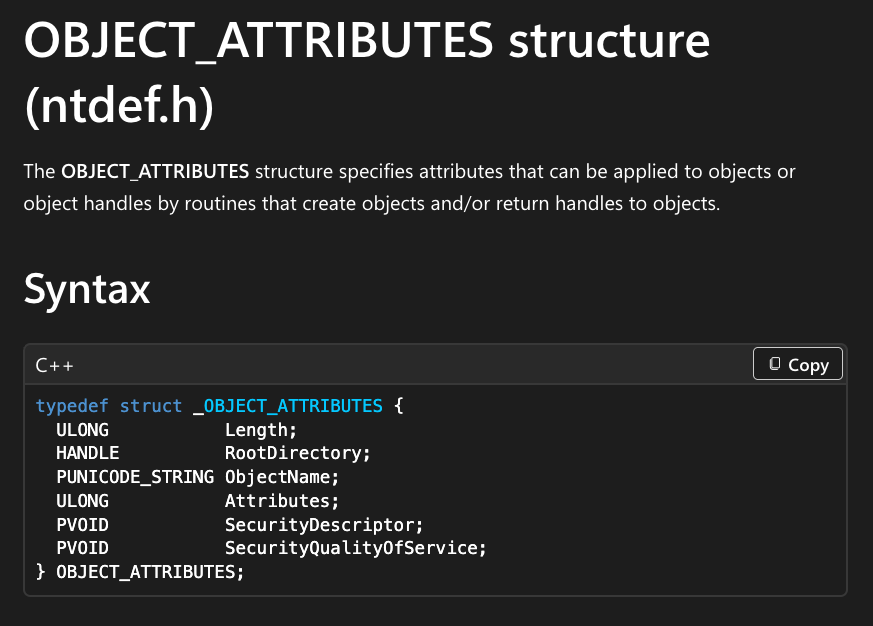
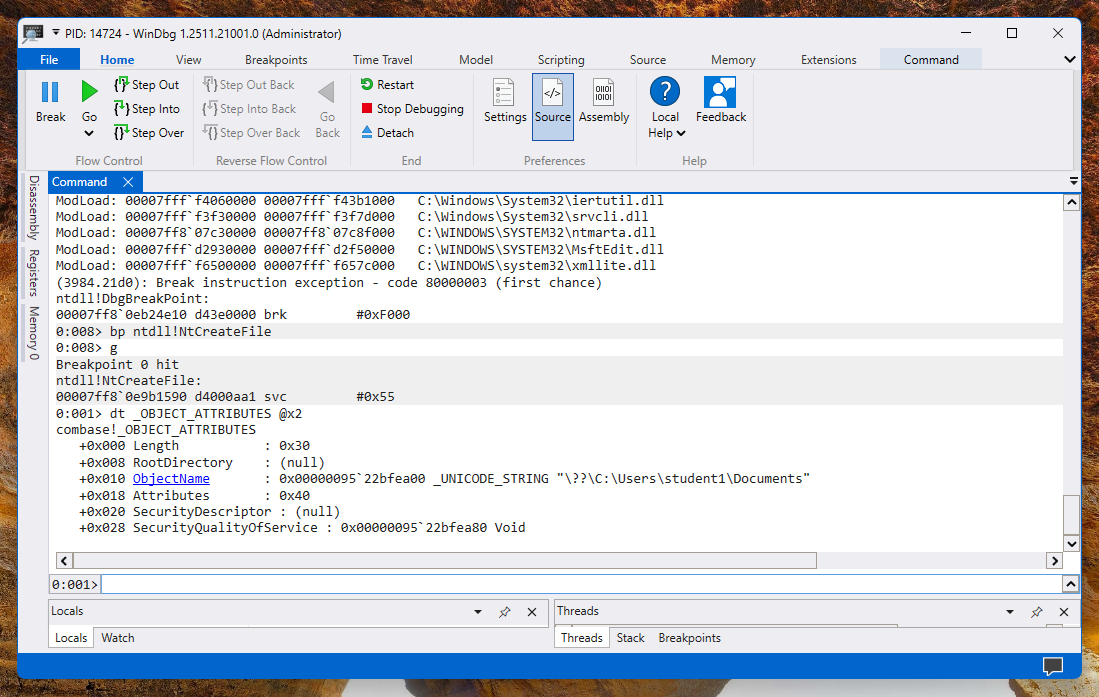
The OBJECT_ATTRIBUTES structure is shown below.
The ObjectName attribute contains a pointer to the filename.
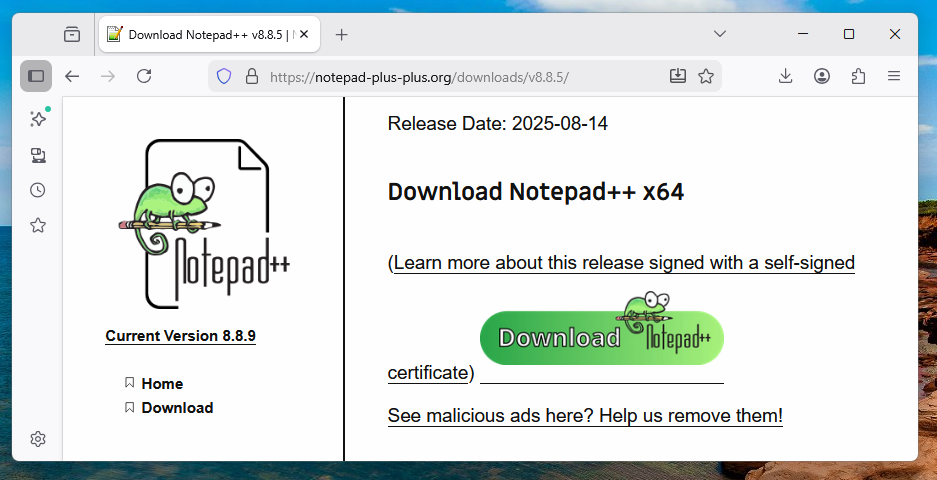
https://notepad-plus-plus.org/downloads/ Download "Notepad++ v 8.8.5" and install it.
You need to click the version number, and then scroll down past a lot of deceptive fake download buttons, to find the real download button with a green animal on it, as shown below.
Install Notepad++ normally.
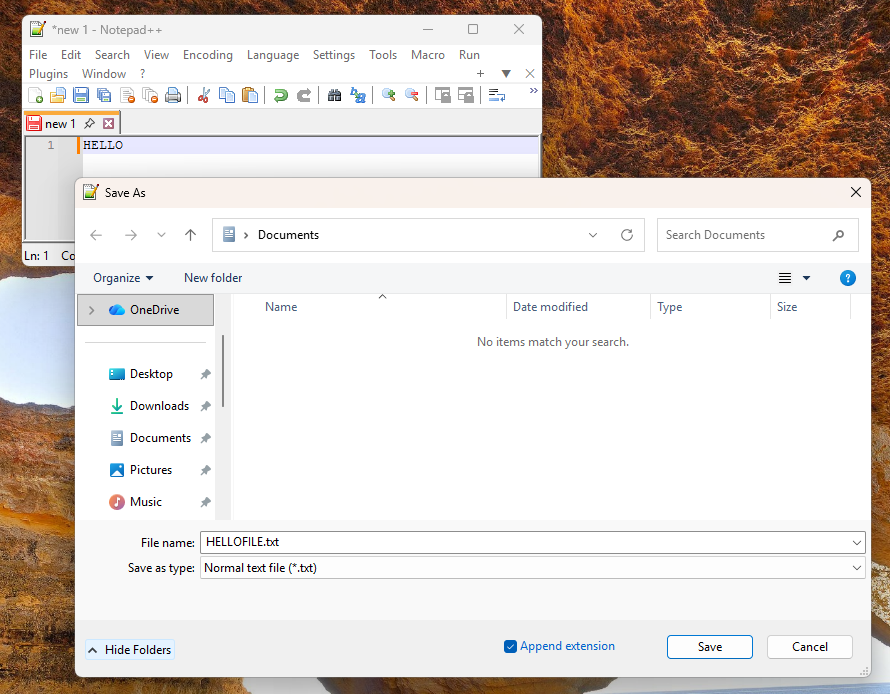
Click File, Save.
Navigate to your Documents folder.
Enter a filename of HELLOFILE, as shown below.
Don't click the Save button yet.
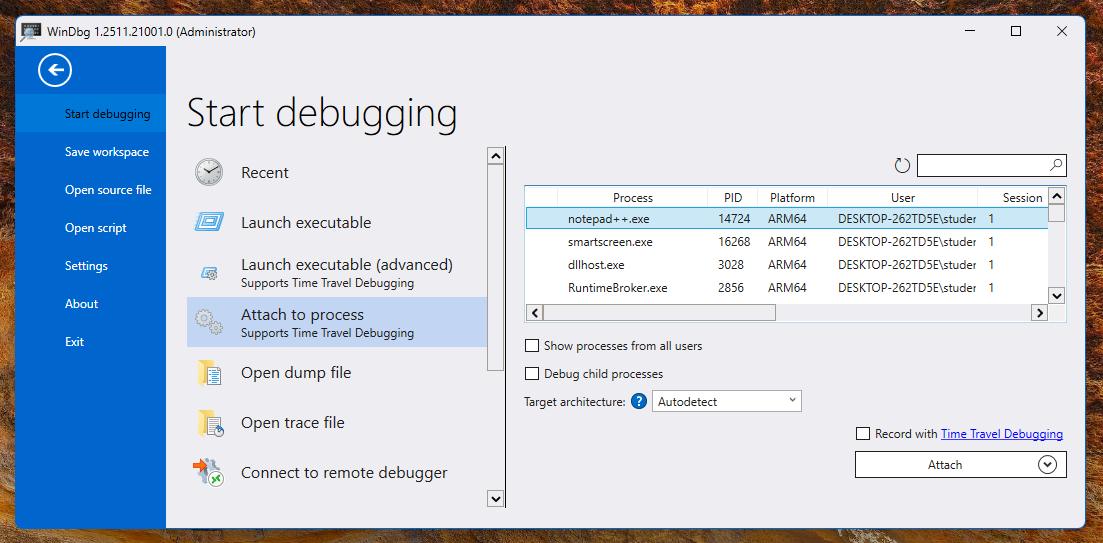
Click File, "Attach to process".
Select the notepad++ process and, at the lower right, click the Attach button, as shown below.
WinDbg attaches to the process and inserts a Break, halting execution, as shown below.
bp ntdll!NtCreateFile
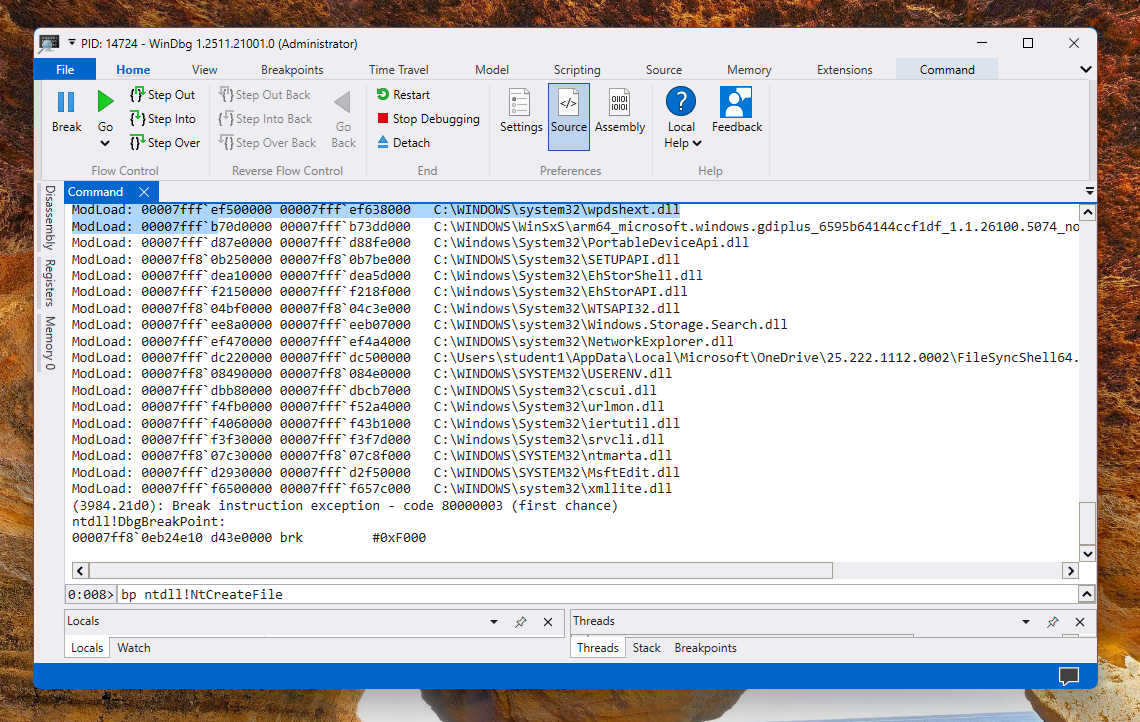
At the top left of WinDng, click the green Go button.
In Notepad++, click Save.
In WinDbg, the breakpoint is hit, because Notepad++ called NtCreateFile.
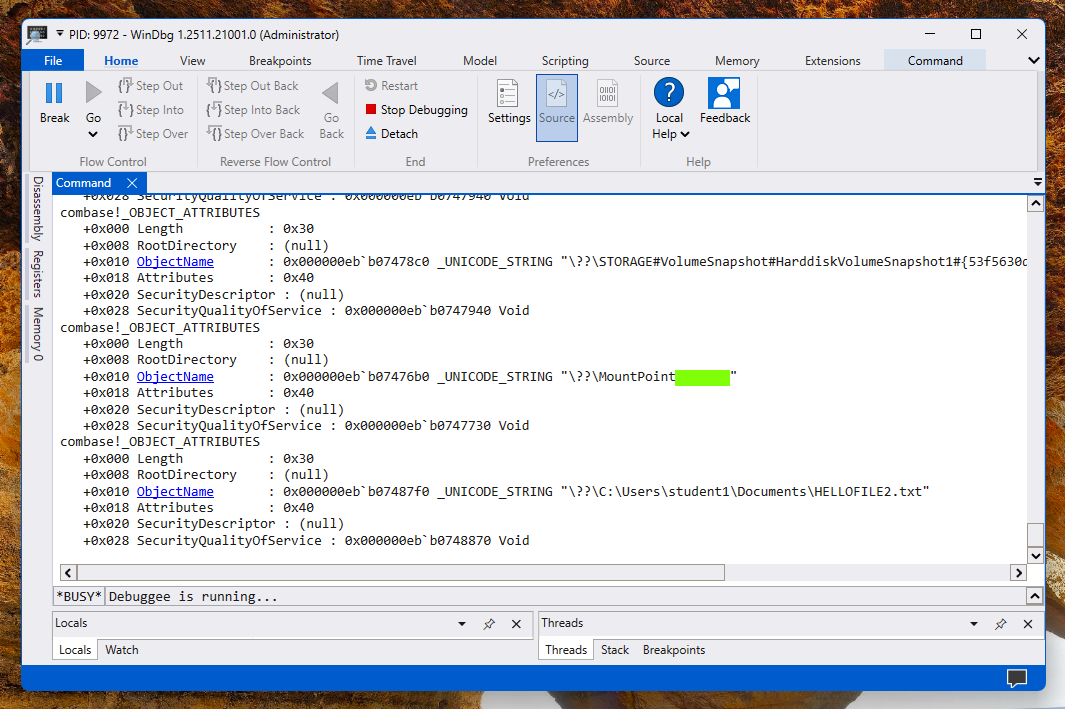
In Windog, in the lower section, paste in this command, as shown below, and then press Enter.
dt _OBJECT_ATTRIBUTES @x2
Enter these commands in WinDbg:
g
dt _OBJECT_ATTRIBUTES @x2
g
dt _OBJECT_ATTRIBUTES @x2
Close WinDbg.
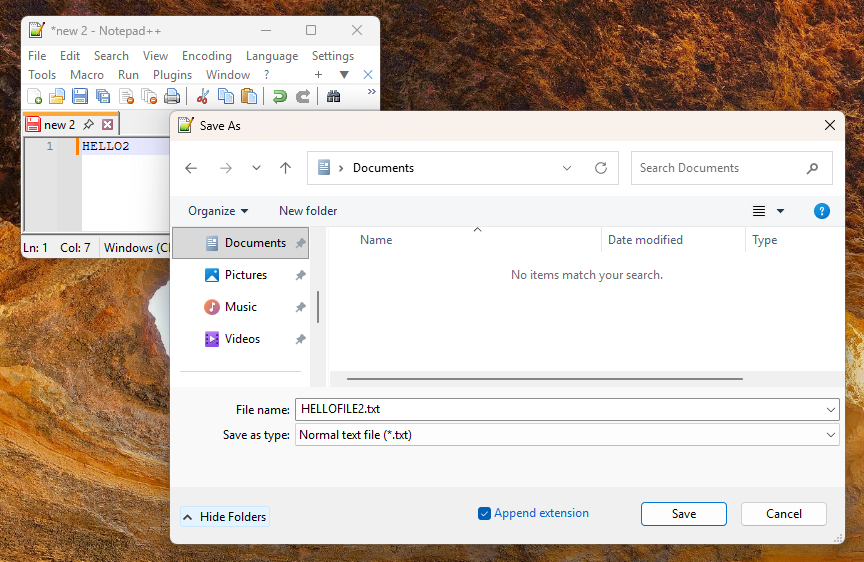
Launch Notepad++ again, and prepare another file containing HELLO2 ready to save in your Documents folder with the name HELLOFILE2, as shown below.
Launch WinDbg again as Administrator and attach to the notepad++ process.
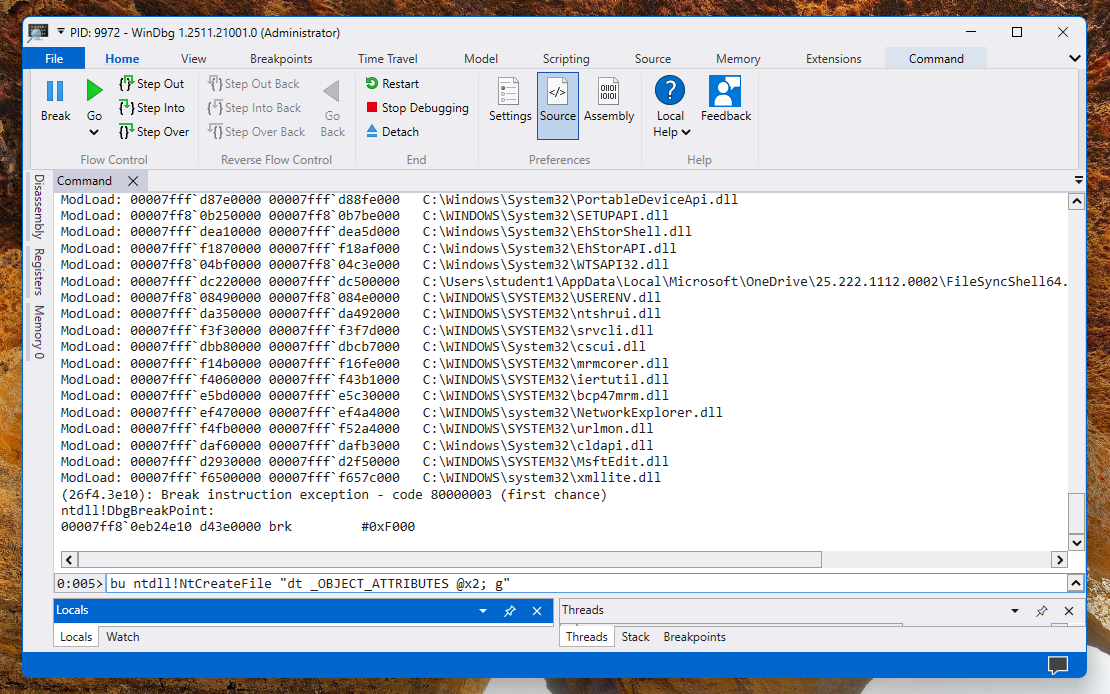
In WinDng, execute this command, as shown below.
bu ntdll!NtCreateFile "dt _OBJECT_ATTRIBUTES @x2; g"
At the top left of WinDng, click the green Go button.
In Notepad++. click Save
PMA 405.1: MountPoint (15 pts)
There are several calls to a location used to handle "Mount Points", which are used to find the actual disk location for a symbolic object such as "C:".The flag is covered by a green box in the image above.
Posted 12-15-25