CRN: 78462 & 78463 Monday 6 - 9 pm Science 30 & 56
Catalog DescriptionCovers fundamental principles and hands-on application of modern fiber optic technology, preparing students to use current technology and giving them the basis required to adapt to future developments. Topics include telecommunications, optics, fiber fabrication, splicing, and termination, lasers, LEDs, detectors and optical amplifiers, optical protocols including FDDI and SONET, and network design and troubleshooting. Students will perform many hands-on labs using fiber optic cable and related equipment. CSUCNIT 211=ELEC 211 Note about Prerequisites: Although the catalog says you need ET 108A or MATH 840, those mathematics skills are not actually required. This course will focus on how to plan a fiber installation and perform it, not on the mathematical physics of light. Upon successful completion of this course, the student will be able to:
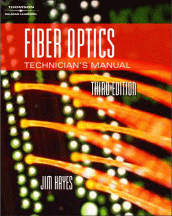
TextbooksREQUIRED: Fiber Optic Technician's Manual, Third Edition by Jim Hayes -- ISBN: 1-4018-9699-5 Buy from Amazon Buy from Half.comREQUIRED: CNIT 211 Lecture Notes by Sam Bowne (available only at CCSF bookstore) |
Schedule | ||||
|---|---|---|---|---|
| Date | Quiz | Topic | ||
| Mon 8-18 | Ch 1 The Origins of Fiber Optics Communications | |||
| Mon 8-25 | Ch 2 Basics of Fiber Optics | |||
| Sat 8-30 through Mon 9-1 |
Holiday - No Class | |||
| Fri 9-5 | Last Day to Add Classes | |||
| Mon 9-8 | Quiz on Ch 1 & 2a | Ch 3 Fiber Optic Networks | ||
| Fri 9-12 | Last Day to Drop Classes | |||
| Mon 9-15 | Quiz on Ch 2b & 3 | Ch 4 Optical Fiber Cables | ||
| Thu 9-18 | Last Day to Remove an Incomplete Grade | |||
| Fri 9-19 | Last Day to Request pass/no pass Grading | |||
| Mon 9-22 | Quiz on Ch 4 | Ch 5 Specifying Fiber Optic Cable | ||
| Mon 9-29 | Quiz on Ch 5 | Ch 6 Fiber Optic Connectors, Splices, and Tools | ||
| Mon 10-6 | Quiz on Ch 6 | Ch 7 Fiber Optic Hardware & Ch 8 Getting Started in Fiber Optics | ||
| Mon 10-13 | Holiday - No Class | |||
| Mon 10-20 | Quiz on Ch 7 & 8 | Ch 9 Guidelines for Fiber Optic Design and Installation & Ch 10 Cable Plant Link Loss Budget Analysis | ||
| Tue 10-21 | Mid-Term Grades Due | |||
| Mon 10-27 | Quiz on Ch 9 & 10 | Field Trip: Tour of CCSF Network & Ch 11 Fiber Optic Installation Safety | ||
| Mon 11-3 | No Quiz | Ch 12 Planning The Installation & Ch 13 Fiber Optic Cable Plant Documentation | ||
| Mon 11-10 | Holiday - No Class | |||
| Fri 11-14 | Last Day to Withdraw | |||
| Mon 11-17 | Quiz on Ch 11-13 | Ch 14 Estimating and Bidding Fiber Optic Installation & Ch 15 Fiber Optic Cable Pulling | ||
| Mon 11-24 | No Quiz | Ch 16 Fiber Optic Restoration | ||
| Weds 11-26 through Sun 11-30 |
Holiday - No Class | |||
| Mon 12-1 | No Quiz | Ch 17 Fiber Optic Testing | ||
| Mon 12-8 | No Quiz | Field Trip: 365 Main--6:30 PM -- bring driver's license or other government-issued ID | ||
| Mon 12-15 | Final Exam: FOA Certification Test | |||
Lecture Notes | |
|---|---|
| Policy | |
| Ch 1 The Origins of Fiber Optics Communications | PowerPoint |
| Ch 2 Basics of Fiber Optics | PowerPoint |
| Ch 3 Fiber Optic Networks | PowerPoint |
| Ch 4 Optical Fiber Cables | PowerPoint |
| Ch 5 Specifying Fiber Optic Cable | PowerPoint |
| Ch 6 Fiber Optic Connectors, Splices, and Tools | PowerPoint |
| Ch 7 Fiber Optic Hardware & Ch 8 Getting Started in Fiber Optics | PowerPoint |
| Ch 9 Guidelines for Fiber Optic Design and Installation Ch 10 Cable Plant Link Loss Budget Analysis | PowerPoint |
| Ch 11 Fiber Optic Installation Safety Ch 12 Planning The Installation | PowerPoint |
| Ch 13 Fiber Optic Cable Plant Documentation Ch 14 Estimating and Bidding Fiber Optic Installation | PowerPoint (rev. 11-17-08) |
| Ch 15 Fiber Optic Cable Pulling Ch 16 Fiber Optic Restoration | PowerPoint (rev. 11-17-08) |
| Ch 17 Fiber Optic Testing | PowerPoint (rev. 11-24-08) |
|
The lectures are in Word and PowerPoint formats. If you do not have Word or PowerPoint you will need to install the Free Word Viewer 2003 and/or the Free PowerPoint Viewer 2003. | |
Projects | |
|---|---|
| Proj 1: Continuity and Power (25 pts.) | |
| Proj 2: Comparing Core Sizes With a Continuity Tester (15 pts.) | |
| Proj 3: Comparing Core Sizes With a Power Meter (20 pts.) | |
| Proj 4: Comparing Core Sizes With a Microscope (15 pts.) | |
| Proj 5: Observing Modes With the Visual Fault Locator (15 pts.) | |
| Proj 6: Anaerobic Termination (25 pts.) | |
| Proj 7: Fusion Splicing (25 pts.) | |
| Proj 8: OTDR - Singlemode (15 pts.) | |
| Proj 9: OTDR - Multimode (15 pts.) | |
| Proj 10: Find Problem OTDR (15 pts.) | |
We will cover these topics: Fiber Optic Cable Handling
Fiber Optic Cable Termination
Fiber Optic Splicing
Fiber Optic Testing
Fiber Optic Hardware and Restoration | |
Links from Lectures |
|---|